Category: OpenShift

  • OpenShift Virtualization: running VMs and containers on one platform

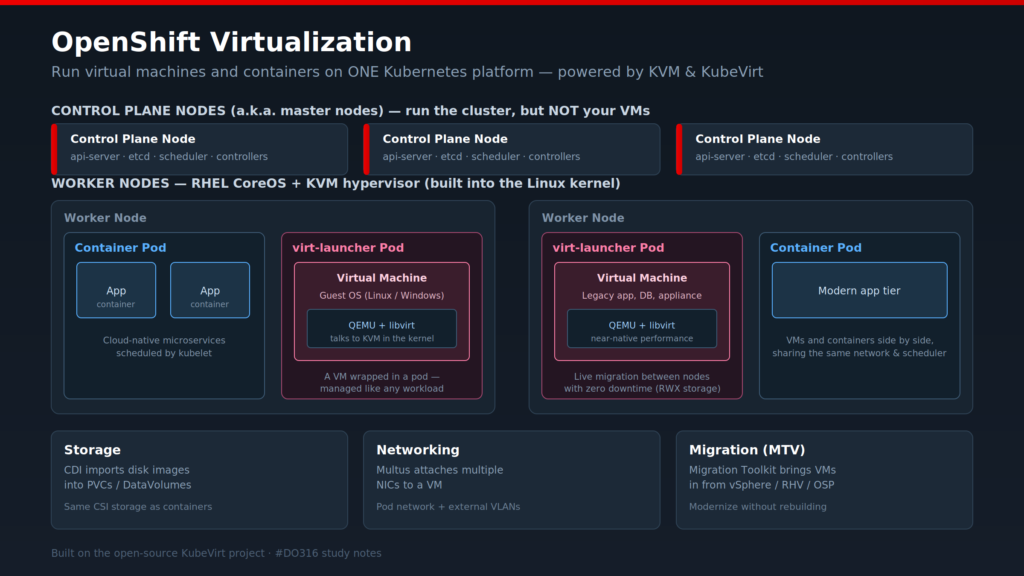
    OpenShift Virtualization (built on the open-source KubeVirt project) lets you run traditional VMs directly on OpenShift, right next to your containers. Same control plane, same API, same RBAC, same GitOps pipeline. There’s no separate hypervisor cluster to run and no second team to staff for it.

    The part that took me a while to accept is how a VM actually runs.

    A VM lives inside a special pod called virt-launcher. Inside that pod, QEMU and libvirt talk to KVM, the hypervisor that’s already built into the Linux kernel on every RHEL CoreOS node. Because KVM sits in the kernel, the VM gets close to native performance. It’s real virtualization, not emulation. And as far as Kubernetes is concerned, that VM is just another workload, so it inherits scheduling, monitoring, and networking for free. You define it as kind: VirtualMachine and manage it in YAML, the same way you’d manage a deployment.

    A few pieces make it usable in production:

    Storage: The Containerized Data Importer (CDI) pulls disk images into PVCs, using the same CSI storage your containers already use.

    Networking: Multus attaches extra NICs to a VM, so it can sit on the pod network and still reach external VLANs.

    Live migration: you can move a running VM between nodes with no downtime, as long as your storage supports ReadWriteMany.

    Migration Toolkit for Virtualization (MTV): imports existing VMs from vSphere, RHV, or OpenStack.

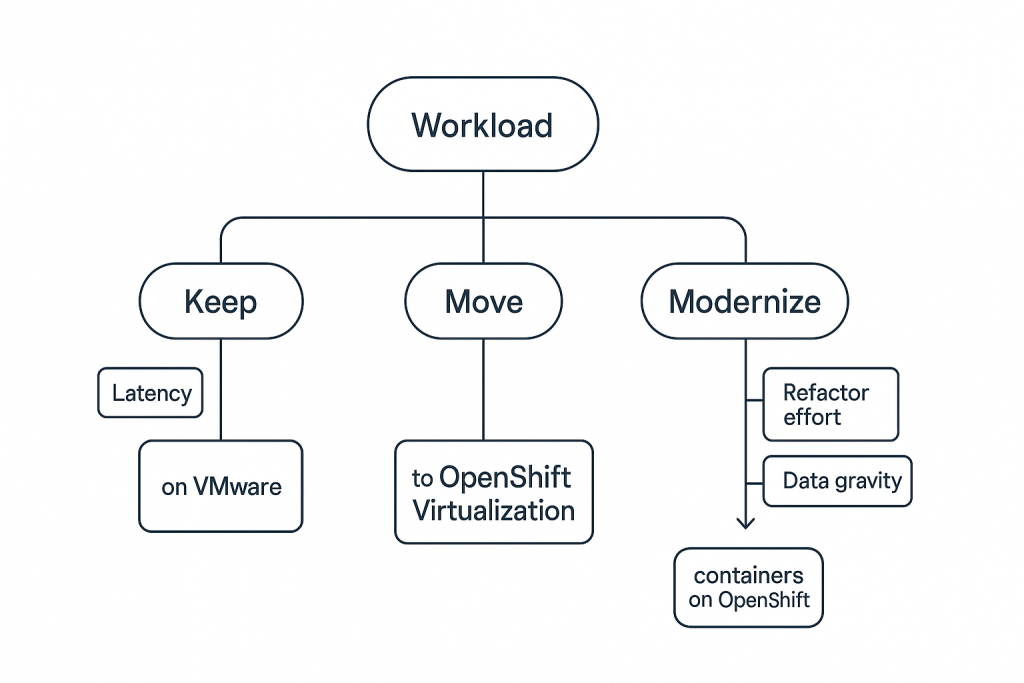
    So why does this matter? Most companies aren’t close to fully containerized, and they won’t be for years. Databases, legacy apps, and appliances still live in VMs and aren’t going anywhere soon. OpenShift Virtualization means you don’t have to pick a side. You modernize gradually on one platform instead of paying for and running two separate stacks. With everything happening in the traditional virtualization market lately, a lot of teams are looking hard at exactly this.

    If you’re running OpenShift Virtualization in production, I’d like to hear what caught you off guard.
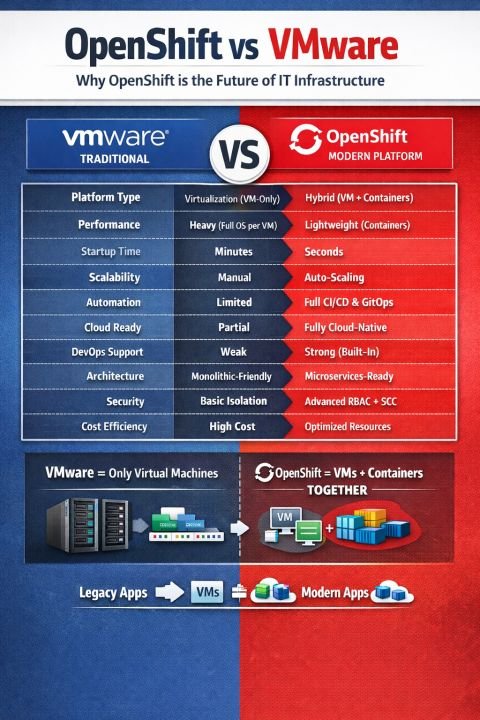
  • The infrastructure landscape is evolving rapidly.

    Traditional virtualization platforms like VMware solved critical problems in the past. But modern applications demand:

    ✔️ Scalability

    ✔️ Automation

    ✔️ DevOps integration

    ✔️ Cloud-native architecture This is where OpenShift stands out.

    👉 With OpenShift Virtualization (KubeVirt), organizations can run both VM-based legacy workloads and containerized applications on a unified platform. This is not just an upgrade. it’s a strategic transformation.

  • Automating Infrastructure with Ansible on OpenShift

    Automating Infrastructure with Ansible on OpenShift

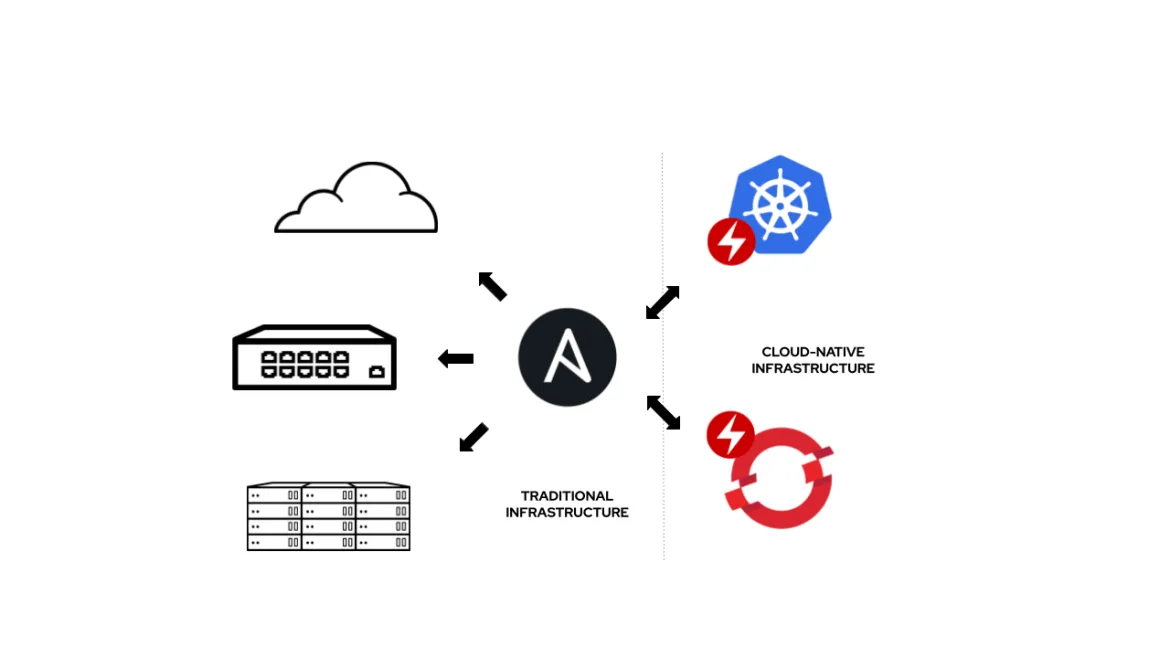
    Automate day-2 operations and infrastructure management with Ansible.

    Managing infrastructure manually can be time-consuming and error-prone, especially as environments grow in complexity. Automation tools like Ansible help streamline operations by allowing you to define infrastructure as code and execute repetitive tasks consistently.

    In this post, you’ll learn how to integrate Ansible with OpenShift to automate deployments, updates, and maintenance tasks. From provisioning resources to managing configurations, automation improves efficiency, reduces human error, and ensures your infrastructure remains consistent across environments.

  • Modernizing VMware Workloads with OpenShift

    Modernizing VMware Workloads with OpenShift

    A practical approach to migrate VMware workloads to OpenShift platforms.

    Many organizations still rely on VMware-based infrastructure, but modern demands require more scalable and flexible environments. Migrating workloads to OpenShift enables businesses to embrace cloud-native technologies while retaining control over their applications and data.

    This article walks through a practical approach to transitioning from VMware to OpenShift. You’ll explore strategies for containerizing applications, handling dependencies, and ensuring minimal downtime during migration. The goal is to help you modernize your infrastructure while maintaining operational continuity.

  • Getting Started with OpenShift: A Beginner’s Guide

    Getting Started with OpenShift: A Beginner’s Guide

    Learn how to set up your first OpenShift cluster and deploy your application.

    If you’re new to container platforms, Red Hat OpenShift is a great place to start because it simplifies many of the complex parts of running containers in production. It builds on Kubernetes but adds a more user-friendly interface, built-in developer tools, and automated workflows that make deploying applications much faster and more consistent. Instead of manually configuring infrastructure, OpenShift helps you focus more on writing and shipping your code.

    To get started, you typically create an OpenShift cluster either locally using tools like CodeReady Containers or on a cloud provider. Once your cluster is running, you can log into the OpenShift web console or use the command-line tool oc to interact with it. From there, deploying an application is straightforward—you can import code from a Git repository, choose a runtime (like Node.js, Java, or Python), and OpenShift automatically builds and deploys your application. It also manages scaling, routing, and health checks, so your app stays available even under load. As you explore further, you’ll discover features like pipelines, persistent storage, and monitoring tools that make OpenShift powerful for real-world deployments.